

Description
Book appointments the professional way
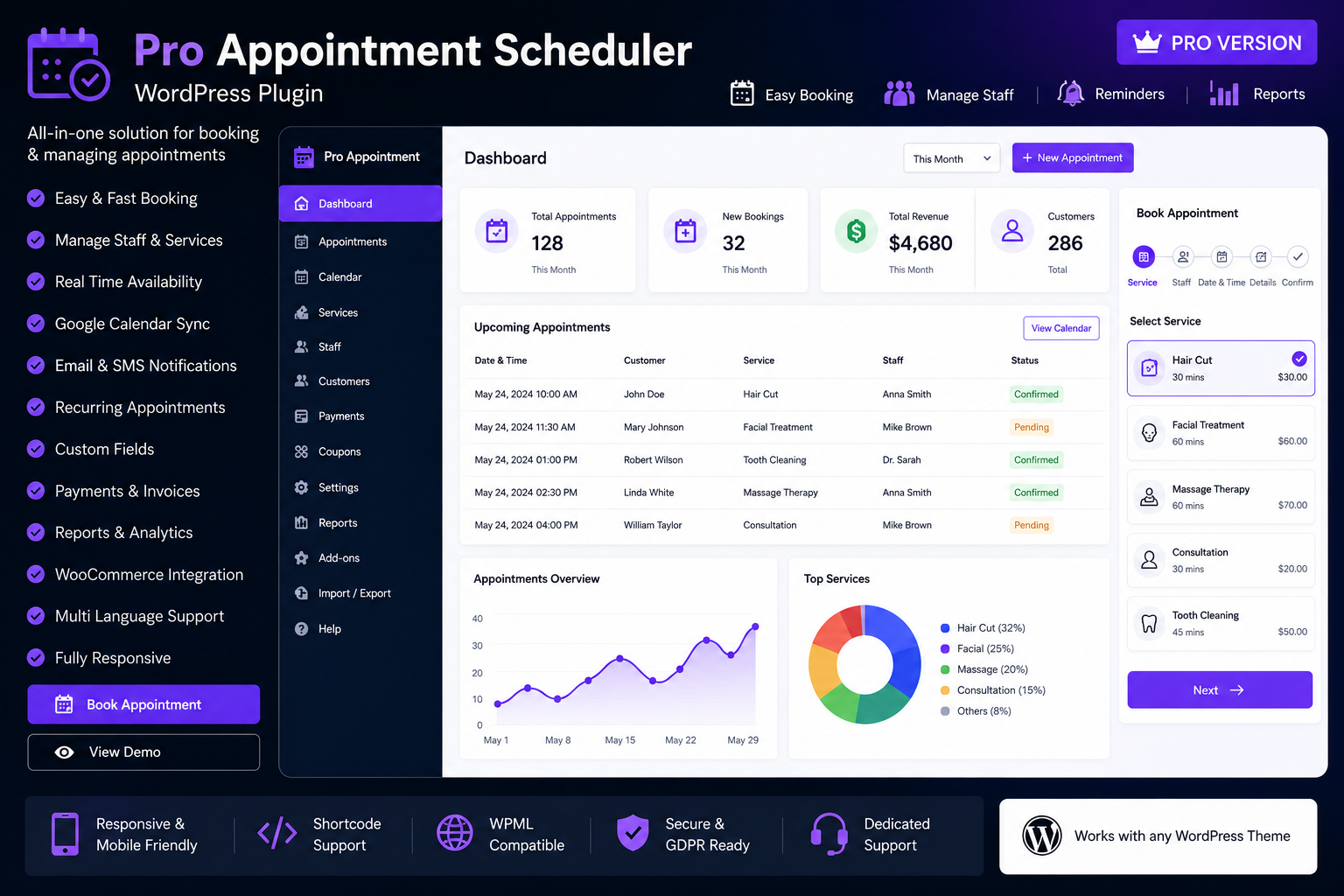
ProAppointments Scheduler gives your customers a clean, modern booking experience while your team manages services, staff schedules, appointments, and invoicing from a fully featured WordPress admin dashboard.
Designed especially for IT, computer repair, remote support, and on-site service businesses — and flexible enough for any appointment-based workflow.
Why choose ProAppointments Scheduler?
- Customer-ready booking form — responsive shortcode, Gutenberg block, and widget
- Real availability — respects staff weekly hours, leaves, service duration, and existing bookings
- Staff frontend portal — technicians log in to manage their own appointments
- Complete admin toolkit — dashboard, list, calendar, Kanban, notifications, email log
- Licensed Pro tools — invoices, reminders, multi-service bookings, advanced styling, and more
- WordPress 7.0 ready — Requires WP 5.8+, PHP 7.4+
Key features
Online booking
- Service selection with optional staff picker
- Modern calendar (past dates disabled; availability-aware)
- Dynamic time slots from service duration + staff schedule
- Remote / online service notice (e.g. RustDesk / AnyDesk guidance)
- Optional Google reCAPTCHA (v2 or v3)
- Shortcode:
[proappt_booking]— hide staff withshow_staff="0"
Services & staff
- Custom services (name, description, duration, price, phone-consult flag)
- Staff profiles with weekly schedules, leaves, and assigned services
- Staff portal login credentials per member
- Seed default IT service catalog (Licensed restore action)
Staff portal
- Shortcode:
[proappt_staff_portal] - Create and edit appointments from the frontend
- Session persists until Logout (configurable inactivity timeout)
- Multi-staff participants on one job (Licensed)
Admin management
- Dashboard overview with status cards and charts
- Appointments list with filters, bulk CSV export, and status actions
- Calendar month view
- Kanban drag-and-drop board (Licensed)
- Built-in Help & Support documentation inside wp-admin
Invoices (Licensed)
- Create invoices from appointments or manually
- Tax, discounts (flat / percent), payments, print view
- Company branding fields and payment reminder emails
- Optional prompt when an appointment is marked completed
Email notifications
- Customer: pending, confirmation, cancel, update
- Staff: new booking and reminder templates
- HTML templates with placeholders such as
{customer_name},{appointment_date},{start_time},{service_name},{staff_name} - Scheduled appointment reminders (Licensed)
- Email log for delivery auditing
Frontend style (Licensed)
- Live style customizer for booking UI
- Color schemes: Monochromatic, Complementary, Analogous, Triadic, Achromatic
- Colors, fonts, buttons, calendar appearance
Free Version vs Licensed
| Capability | Free Version | Licensed |
|---|---|---|
| Services | Up to 3 | Unlimited |
| Staff | Up to 1 | Unlimited |
| Appointments | Up to 50 / month | Unlimited |
| Public booking + admin list/calendar | Yes | Yes |
| Staff portal (core) | Yes | Yes |
| Invoices & payments | — | Yes |
| Kanban board | — | Yes |
| Email reminders (cron) | — | Yes |
| Multi-service bookings | — | Yes |
| Multi-staff participants | — | Yes |
| Frontend Style customizer | — | Yes |
| Plugin updates via license | — | Yes |
Activate your license key under ProAppointments → License after purchase. Product name on the license server must be exactly ProAppointments Scheduler.
Quick setup
- Install & activate the plugin
- Add services and staff; set weekly hours
- Configure Settings (slots default 30 minutes, hours 09:00–18:00)
- Create a page with
[proappt_booking] - Create a staff page with
[proappt_staff_portal] - Enter your license key to unlock Pro features and updates
Technical requirements
- WordPress 5.8 or higher (tested up to 7.0)
- PHP 7.4 or higher
- HTTPS recommended for license activation
Support
- Author: Inder Kochar
- Support: https://inderkochar.in/support
- Shop: https://computerbazar.in
ProAppointments Scheduler — professional appointment booking for WordPress.



Reviews
There are no reviews yet.